GIF Downloader: Download GIFs from Any URL Online for Free
Download GIFs from any URL in seconds with our free GIF Downloader. No signup required. Fast, secure, and works on desktop, tablet, and mobile devices.
Finding the perfect GIF online is easy. Downloading it in its original quality is often the difficult part. Many websites don't provide a direct download option, while others redirect you through multiple pages, display intrusive advertisements, or require unnecessary software before you can save a simple animation.
Our GIF Downloader is built to remove those frustrations. Instead of dealing with complicated steps, you can paste a GIF URL into the tool and download the original file within seconds. Everything works directly in your browser, so there is nothing to install, no account to create, and no technical knowledge required.
Whether you're saving GIFs for social media, blog posts, presentations, creative projects, or personal use, our tool provides a fast and reliable way to download animated GIFs from supported URLs. It works across desktop computers, tablets, and smartphones while preserving the original quality whenever available.
In this guide, you'll learn what a GIF downloader is, why it's useful, how our tool works, its key features, and the best practices for downloading GIFs safely and efficiently.
What Is a GIF Downloader?
A GIF downloader is an online tool that allows you to save animated GIFs directly to your device using a GIF URL or a supported webpage link. Rather than relying on browser workarounds or screen recording software, a GIF downloader retrieves the original GIF file so you can download and use it whenever you need.
People use GIF downloaders for many different reasons. Content creators save GIFs for social media posts, bloggers include them in articles, marketers use them in presentations and campaigns, and everyday users download their favorite reactions to share with friends and family. Having a dedicated downloader makes the process much faster and more convenient than searching through browser files or trying to save animations manually.
Our GIF Downloader is designed to keep the process simple. Paste the GIF URL into the tool, let it process the link, and download the animation in just a few moments. Since everything runs directly in your browser, there's no software to install, no account to create, and no unnecessary steps before you can save your GIF.
Using a reliable GIF downloader also helps preserve the original animation whenever possible. Instead of downloading a low quality preview or a static image, you receive the actual GIF file, making it ready to use in presentations, blog posts, social media content, messaging apps, or personal collections.
Why Do You Need a GIF Downloader?
Animated GIFs are widely used across social media platforms, blogs, forums, messaging apps, and websites. Although viewing a GIF is easy, downloading it isn't always as straightforward. Some websites don't provide a download button, while others only display a preview instead of the original file. A reliable GIF downloader simplifies this process by letting you save the original animation quickly and without unnecessary steps.
Save GIFs Without Complicated Methods
Many people try to save GIFs by right clicking on an image, only to discover that the downloaded file is a static image or a low quality preview. In some cases, websites hide the original file behind scripts or media players, making manual downloading difficult. A dedicated GIF downloader retrieves the original GIF whenever it's publicly accessible, allowing you to save it in just a few clicks.
Perfect for Content Creators and Everyday Users
Whether you're creating social media posts, writing blog articles, preparing presentations, or simply collecting your favorite reactions, downloading GIFs can save time and improve your workflow. Instead of searching for the same animation repeatedly, you can keep a local copy ready to use whenever you need it.
Access Your GIFs Anytime
Saving GIFs to your device means you can use them even without an internet connection. This is useful for presentations, educational materials, creative projects, or organizing a personal collection of animations. Having offline access also makes it easier to reuse your favorite GIFs across different platforms without searching for them again.
A Faster and More Reliable Experience
A dedicated GIF downloader removes unnecessary distractions such as multiple redirects, excessive advertisements, and complicated download processes. Simply paste the GIF URL, let the tool process it, and download the animation while preserving its original quality whenever available.
How Our GIF Downloader Works
Our GIF Downloader is designed to make downloading animated GIFs as simple as possible. You don't need to install software, create an account, or follow complicated instructions. The entire process takes place in your browser, allowing you to save GIFs quickly while maintaining a smooth user experience.
Step 1: Copy the GIF URL
Find the GIF you want to download and copy its direct URL or the webpage link containing the GIF. Our tool supports GIFs from many publicly accessible websites, making it easy to start the download process.
Step 2: Paste the URL
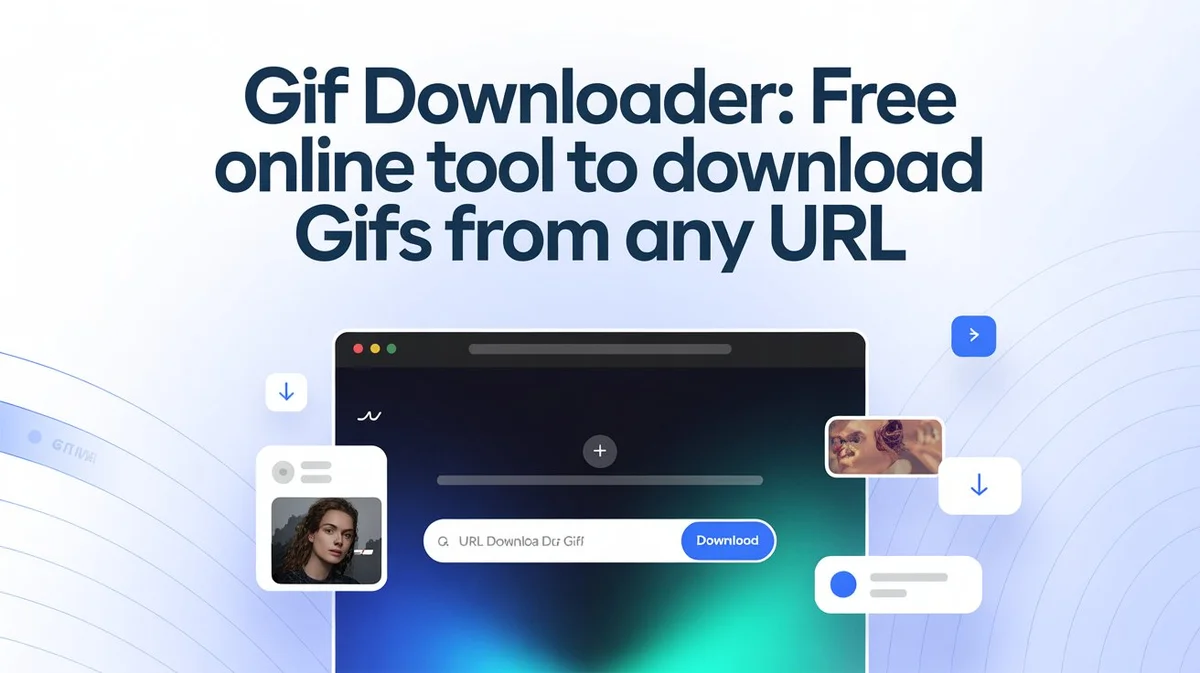
Open the GIF Downloader tool and paste the copied link into the input field. Once the URL is added, the tool automatically checks the link and prepares the GIF for download.
Step 3: Download the GIF
After the GIF is detected, simply click the Download button. The original GIF file will be processed and saved to your device whenever it's publicly available. The process usually takes only a few seconds, depending on your internet connection and the file size.
Works Across All Devices
Whether you're using a Windows PC, Mac, Chromebook, Android phone, iPhone, or tablet, our GIF Downloader works directly in modern web browsers. Since everything happens online, you can access the tool from virtually any device without installing additional applications or browser extensions.
Fast, Simple, and Privacy Focused
We built this tool with simplicity in mind. There are no unnecessary settings, no mandatory sign ups, and no complicated workflows. Just paste your link, download your GIF, and continue with your work. This straightforward approach helps you save time while providing a reliable downloading experience.
Key Features of Our GIF Downloader
Our GIF Downloader is built with one goal in mind: making it easy to download animated GIFs without unnecessary steps or distractions. Instead of adding complicated features that most people never use, we focus on providing a fast, reliable, and user friendly experience.
Download GIFs from Any URL
Simply paste a supported GIF URL into the tool, and it will process the link so you can download the animation in just a few clicks. There's no need to search through page source code or use browser workarounds to find the original GIF.
Preserve the Original Quality
Image quality matters, especially if you're using GIFs for presentations, websites, marketing campaigns, or creative projects. Our tool downloads the original GIF whenever it's publicly available, helping preserve the animation without unnecessary compression or quality loss.
No Registration Required
You shouldn't have to create an account just to download a GIF. Our tool is available instantly, allowing you to start downloading without signing up, verifying an email address, or completing lengthy registration forms.
Works on Any Device
Whether you're using a desktop computer, laptop, tablet, or smartphone, our GIF Downloader works directly in your web browser. It supports all major operating systems, including Windows, macOS, Android, iOS, and ChromeOS, so you can download GIFs wherever you are.
Fast and Easy to Use
The interface is designed to be clean and intuitive. Copy the GIF link, paste it into the input field, and click the download button. The straightforward workflow makes the tool suitable for both first time visitors and regular users.
Privacy Focused Experience
We believe online tools should respect user privacy. That's why our GIF Downloader doesn't require unnecessary personal information to perform a download. You can use the tool without creating an account, making the experience simple, secure, and focused on the task you want to complete.
Supported Websites and GIF Sources
Our GIF Downloader is designed to work with publicly accessible GIF URLs from a wide range of websites. If a GIF has a direct, publicly available file or can be detected from a supported webpage, our tool can usually retrieve it for download.
Keep in mind that some platforms use private content delivery systems or require user authentication. In those cases, downloading may not be possible because the original GIF file is not publicly accessible.
Popular GIF Platforms
Many users download GIFs from well known platforms that host animated content. Our tool supports downloading from compatible public links, making it easier to save GIFs you want to use later.
Supported sources may include:
- Giphy
- Tenor
- Tumblr
- Imgur
- Public blogs and websites
- Forums and community websites
- Direct GIF file URLs
As websites update their technology over time, compatibility with specific pages may change. We continuously improve the tool to support as many publicly available GIF sources as possible.
Direct GIF URLs
If you already have the direct link to a GIF file, downloading is even easier. Simply paste the URL into the input field, and the tool will detect the animation and prepare it for download. This is the fastest and most reliable method because it accesses the original GIF file directly.
Public Webpages
Sometimes a GIF is embedded within a webpage instead of being linked directly. In many cases, our tool can detect the GIF from the page and extract it for download. This saves you from manually inspecting page elements or searching through browser developer tools.
When a GIF Cannot Be Downloaded
There are situations where a GIF cannot be retrieved, even with a downloader. This usually happens when:
- The webpage is private or requires a login.
- The GIF has been removed by its owner.
- The URL is incorrect or no longer exists.
- The website blocks public access to the original media file.
- The page doesn't actually contain a downloadable GIF.
If a download doesn't work, double check the URL or try opening the GIF in your browser first to make sure it's publicly available.
Is Our GIF Downloader Safe to Use?
Yes. Our GIF Downloader is designed with simplicity, privacy, and security in mind. You can download publicly available GIFs without creating an account, installing software, or providing unnecessary personal information. Our goal is to make the downloading process straightforward while giving users confidence that they are using a reliable online tool.
No Software Installation
Everything works directly in your web browser. There's no need to download additional applications, browser plugins, or executable files just to save a GIF. This not only saves time but also reduces the risks associated with installing software from unknown sources.
No Account Required
Many online tools ask users to register before they can access basic features. We believe downloading a GIF should be quick and hassle free. That's why you can use our tool without signing up or sharing personal details.
Secure Connection
Our website uses a secure HTTPS connection to help protect data transferred between your browser and our servers. This provides a safer browsing experience while you use the tool.
Respecting Copyright
Our GIF Downloader is intended for downloading publicly accessible GIFs. We do not host or own the content you download, and all copyrights remain with their respective owners. Before downloading or reusing any GIF, make sure you have the necessary rights or permission to use that content.
Your Privacy Matters
We value user privacy and aim to collect only the information necessary for the website to function properly. We do not require personal accounts simply to download GIFs, and we are committed to providing a transparent and trustworthy experience for every visitor.
By combining ease of use with responsible practices, our GIF Downloader offers a dependable solution for saving animated GIFs while helping users browse and download with confidence.
Common GIF Download Problems and How to Fix Them
Although downloading a GIF is usually straightforward, you may occasionally run into issues that prevent the file from downloading successfully. Most problems have simple solutions and can be resolved within a few minutes.
The GIF Isn't Downloading
If the download doesn't start, first check that you've copied the correct URL. An incomplete or incorrect link may prevent the tool from locating the GIF. Refreshing the page and trying again can also resolve temporary loading issues.
The URL Doesn't Work
Not every webpage contains a publicly accessible GIF file. Some websites display animations through scripts or private media services instead of providing a direct GIF resource. If the URL isn't supported, try copying the direct GIF link instead of the webpage address whenever possible.
The GIF Has Been Removed
If the original creator has deleted the GIF or changed its location, the link will no longer work. In this case, you'll need to find an updated source or another publicly available version of the animation.
Slow Download Speed
Download speed depends on several factors, including your internet connection, the size of the GIF, and the response time of the source website. If a download seems slow, wait a few moments or try again later when your connection is more stable.
The GIF Won't Play After Downloading
If a downloaded GIF doesn't animate, make sure you're opening it with an application or browser that supports animated GIFs. Most modern web browsers and image viewers display GIF animations correctly, while some older image viewers may only show the first frame.
Need More Help?
If you're still experiencing problems, double check that the URL is publicly accessible and that the GIF is still available on the original website. If the issue continues, feel free to contact us through our Contact page. User feedback helps us improve compatibility and provide a better experience for everyone.
Why Choose Our GIF Downloader?
With so many online GIF download tools available, choosing one can be difficult. Some websites are filled with advertisements, while others require account registration or make the download process unnecessarily complicated. Our goal is different. We focus on providing a simple, reliable, and user friendly experience that helps you download GIFs quickly without unnecessary distractions.
Simple and Easy to Use
You don't need any technical knowledge to use our tool. Just copy the GIF URL, paste it into the input field, and download the animation in a few clicks. The clean interface helps you complete the task without navigating through confusing menus or unnecessary options.
Fast Performance
Speed matters when you're downloading content online. Our GIF Downloader is optimized to process supported links quickly, helping you save time whether you're downloading a single GIF or multiple animations throughout the day.
Works Across Multiple Devices
Whether you're using a desktop computer at work or a smartphone while traveling, you can access our GIF Downloader from any modern web browser. The responsive design ensures a consistent experience across Windows, macOS, Android, iPhone, tablets, and Chromebooks.
Designed with Privacy in Mind
We believe useful online tools should respect user privacy. You can use our GIF Downloader without creating an account or providing unnecessary personal information. This keeps the downloading process simple while allowing you to focus on what matters most.
Regular Improvements
The web is constantly changing, and websites frequently update how they display media files. We regularly improve our tool to maintain compatibility with supported websites, fix reported issues, and enhance the overall user experience. Feedback from our users plays an important role in shaping future updates.
Built for Everyday Use
Whether you're a student, content creator, designer, marketer, educator, or someone who simply enjoys collecting animated GIFs, our tool is designed to make downloading GIFs as easy as possible. We continue working to provide a dependable experience that saves time and helps users access the GIFs they need with confidence.
Final Thoughts
Downloading animated GIFs shouldn't be a frustrating experience. Whether you're saving a reaction GIF for a conversation, collecting animations for creative projects, or adding visual content to a blog or presentation, having a reliable tool can save both time and effort.
Our GIF Downloader is designed to make the process as simple as possible. Just paste a supported GIF URL, let the tool process the link, and download the animation in a few clicks. There's no software to install, no account to create, and no complicated setup required. The tool works across modern devices and browsers, making it easy to access whenever you need it.
We are committed to continuously improving the user experience by keeping the tool fast, reliable, and easy to use. As websites evolve, we work to maintain compatibility with supported sources while providing a secure and straightforward downloading experience.
If you're looking for a quick and convenient way to save GIFs from supported URLs, give our GIF Downloader a try. We hope it becomes your go to solution whenever you need to download and save animated GIFs online.
Frequently Asked Questions
Can I download GIFs for free?
Yes. Our GIF Downloader is completely free to use. Simply paste a supported GIF URL into the tool and download the animation without creating an account or paying any fees.
Do I need to install any software?
No. The entire downloading process takes place in your web browser. There is nothing to install, making the tool accessible from almost any modern device.
Can I download GIFs from any website?
Our tool supports many publicly accessible GIF URLs and compatible webpages. However, some websites protect their content behind login requirements or private delivery systems, which may prevent a GIF from being downloaded.
Will the downloaded GIF keep its original quality?
Whenever the original GIF is publicly available, our tool downloads the original file instead of a compressed version. The final quality also depends on the source website.
Does the GIF Downloader work on mobile devices?
Yes. You can use the tool on smartphones, tablets, laptops, and desktop computers. It works in most modern web browsers without requiring additional apps.
Is there a limit to how many GIFs I can download?
You can use the tool as often as you need. If reasonable usage limits are introduced in the future to maintain service quality, they will be clearly communicated on the website.
Why isn't my GIF downloading?
This usually happens if the URL is incorrect, the content is no longer available, the webpage is private, or the website doesn't expose the original GIF file. Double check the link and make sure the GIF is publicly accessible.
Is my personal information required?
No. You can use the GIF Downloader without creating an account or providing unnecessary personal information, making the experience faster and more convenient.
Can I use downloaded GIFs in my own projects?
That depends on the copyright and licensing of the original GIF. Always make sure you have the appropriate rights or permission before using downloaded content in commercial or public projects.
How can I report a problem or suggest a feature?
We always welcome feedback from our users. If you experience a technical issue or have an idea that could improve the tool, please visit our Contact page and send us a message. Your suggestions help us continue improving the website and its features.
Related Articles